 8020Get 8020
Your important tabs, first.
8020 turns a crowded browser into a clear, recoverable priority system. Save tabs into collections, find anything quickly, restore exactly what you need, and keep the three highest-leverage items visible in a focused Your 20% queue.
- Free · $0
- No account
- Saved locally
- Optional AI
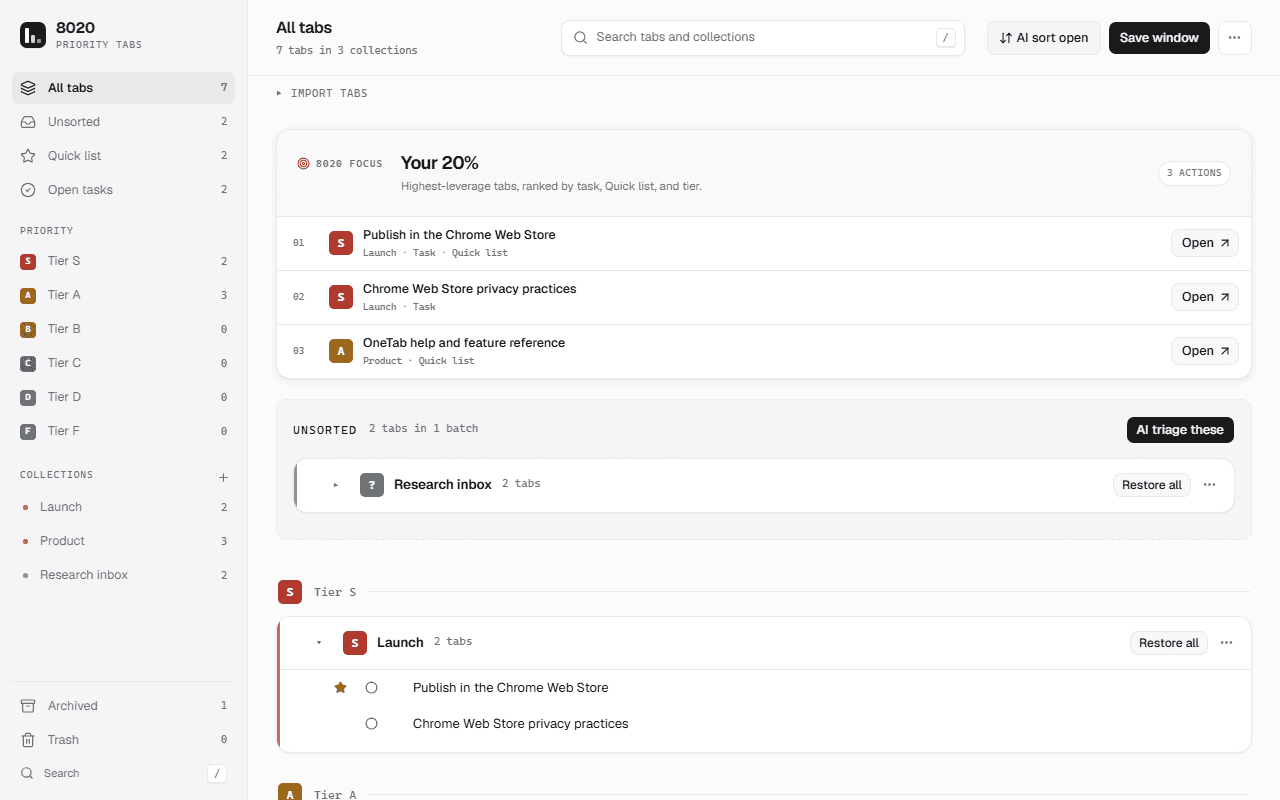
A library, not a tab graveyard.
8020 keeps the speed people expect from a tab saver while adding the structure needed to make saved tabs useful later. Every core action works without an account, advertising, analytics, or mandatory AI.
Save without losing work
Save the current window, every window, selected tabs, or the tabs beside the current one. 8020 persists each record before closing its source tab, preserves Chrome group names and colors, and removes a saved record only after restoration succeeds.
Find the vital few
Rank collections and tabs from S through F, star a Quick list, and mark lightweight tasks as todo or done. The Your 20% queue combines those signals to surface the three saved tabs most likely to matter now.
Keep control of the library
Search titles, URLs, collections, and Chrome groups from the library or the address bar with keyword 80. Merge, archive, share, import, and export collections, while Trash and Undo keep common cleanup mistakes recoverable.
Save. Prioritize. Return.
- 1
Capture the open loop
Choose Save window from the 8020 library, use a keyboard shortcut, or save a precise group from Chrome’s context menu. New tabs land in a recoverable Unsorted inbox instead of disappearing into an anonymous list.
- 2
Give it an honest priority
Move each collection into the tier that reflects its real leverage. S is reserved for work with a same-day cost, A advances a current goal, and the lower tiers make postponement or deletion explicit instead of accidental.
- 3
Restore only what matters
Open a single tab, selected tabs, or a complete collection when the work becomes relevant. 8020 preserves failed restores, keeps removed items in Trash, and provides portable exports so the library does not become a lock-in trap.
Every tab earns its tier.
8020 publishes the complete S-to-F admission rubric inside the extension. Empty tiers are valid, and nothing is promoted merely to make the board look busy. The result is a priority system a person can inspect, correct, and trust.
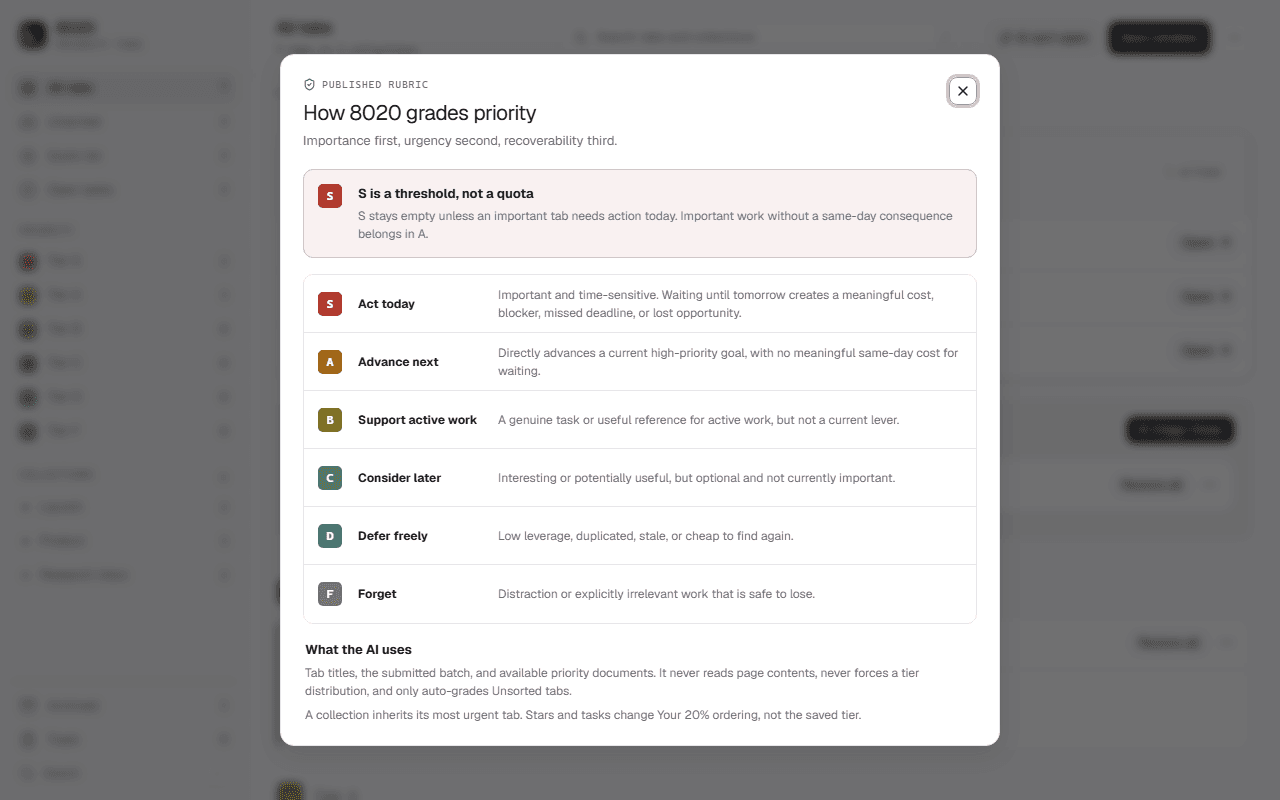
- S
Act today
Time-sensitive work where waiting creates a real cost. - A
Advance next
Work that directly moves a current high-priority goal. - B
Support active work
Useful tasks and references that are not the current lever. - C
Consider later
Interesting or potentially useful, but optional right now. - D
Defer freely
Low-leverage, duplicated, stale, or easy to find again. - F
Forget
Distractions and irrelevant work that are safe to lose.
Your saved tabs stay on your device.
8020 stores the working library in Chrome local storage and includes no advertising, analytics, or remote telemetry. Optional AI triage requires a separately installed local companion, an explicit permission grant, and a user-started action. Core saving, search, organization, export, and restoration never depend on AI.
Read the privacy policy
Close the tabs. Keep the priorities.
Turn today’s browser sprawl into a local, searchable library that keeps the vital few visible and everything else safely recoverable.
Get 8020 for Chrome Looking for the original task prioritizer?